
Annette
United States
Nov 25, 2024
5 out of 5 stars
Worked flawlessly to repair .exe files I had on an old (2005) cd. Installed and ready to use again. Very pleased!
Step-by-step instructions for repairing data from damaged archives of the Zip / WinZip format of all versions. Extracting information from WinZip files whose size is no more than 4GB:

Main features of the corrupt WinZip repair tool include:
Requirements
Note:The software team development of Zip Repair Toolbox accepts all donations so users may get rid of its restrictions as soon as the first payment arrives. As you see, it is not some kind of free tool or open source solution, it is not distributed under GNU General Public License (GPL). Feel free installing Zip Repair Toolbox on your computer, get to know how it works and is it really possible to rebuild WinZip archives.
Buying ZIP Repair Toolbox
For personal use for noncommercial purposes
For legal use in enterprise, commercial and governmental environments
For using on several computers of the customer (up to 100 electronic devices) in one building or distributed between several buildings

PayPro Global (PayPro Global, Inc., 250 The East Mall street, Etobicoke, ON Canada, M9B 0A9) is the fastest growing eCommerce company that develops customized solutions to help software producers to easily and effectively sell software online. PayPro Global supports more than one hundred currencies, all major credit cards, and a wide variety of payment options. PayPro Global offers efficient customer support 24/7 and provides personal attention to customers having special requirements.
How it Works?
Download software from website.Download
Start Install software:
Please confirm warning message.
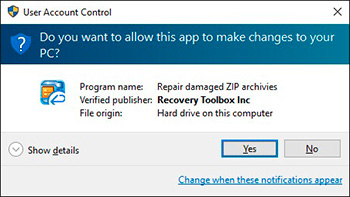
Run installation wizard.
Run program:

Please select a damaged ZIP file on first page of repair wizard in ZIP Repair Toolbox.

Press Next button.

The program displays a folder tree and a list of files in each folder. Select the folders and/or files you want to keep from the damaged WinZIP archive.

Press Next button.
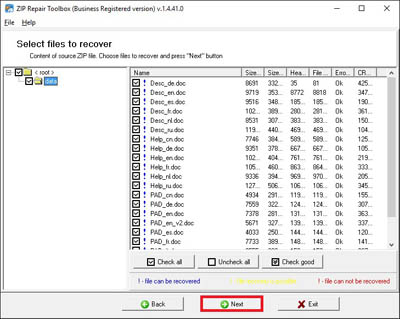
Select path to save a recovered data.

On last page shows a detailed log of recovery process.

Errors
With ZIP Repair Toolbox you can fix next errors:
Screenshots


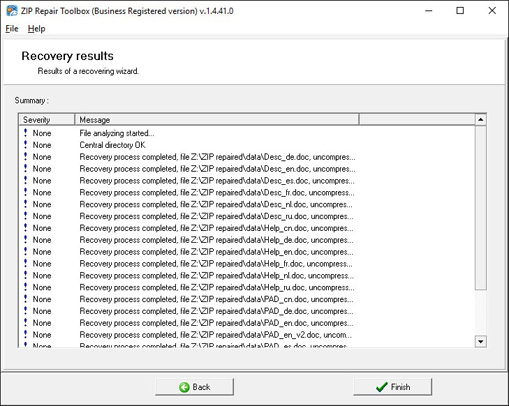
Video Manual


Just loved the simple interface and its great work.
Customer's reviews and ratings


All my zip archives crashed by viruses were restored for a moment. Works tooooo loong.